
Use Candy AI on iPhone, Android or desktop
You can use our web app on a phone or desktop. Adding it to the home screen gives you another way to open the same account; it does not install the chat model on your device.
In this article
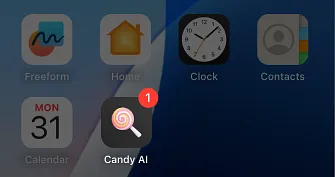

On an iPhone
- Visit Candy AI in Safari.
- Open Share and choose Add to Home Screen.
- Confirm the name and add the entry.
- Open it and sign in using the method associated with your existing account.
On an Android phone
Open the site in a supported browser, then use its menu to find Add to Home Screen or the available web-app installation control. The wording can differ between browsers.
This browser installation does not require a Candy AI APK. It is not a native iOS App Store or Google Play download through this route.
Switch devices without switching accounts
Use the same sign-in provider and credentials on your computer or another phone. A new registration can show an empty history because it belongs to a different account.
An internet connection is needed for replies and generation; the shortcut does not make the service work offline. Removing it neither deletes the account nor stops subscription renewal.
Common questions
What should I install to use Candy AI on iPhone?

Open it in Safari and use Add to Home Screen if you want a home-screen entry. This route uses the web app rather than a native App Store package.
Is an Android APK required for Candy AI?
No. The browser-based service and home-screen installation work without an APK. A similarly named download is not evidence that it is the same application.
Can I continue my phone conversation on a laptop?
Sign in on the laptop with the original account method. Check that account first if chats or purchases appear to be missing.
Does the mobile shortcut unlock a paid plan?
No. It opens the service with the allowances and purchases already attached to your account.
Will Candy AI answer while my phone is offline?
No. Home-screen installation is not a local AI model. New replies and media requests need a connection to the service.